Check readings from your phone.
View TDS, flow, pressure and pH readings from the Qik sensors installed at your plant. Confirm the measurements included in your setup before purchase.
 InsightsGet Qik Insights
 Qik Insights includes sensors fitted to your RO piping. Monitor readings, receive alerts and start or stop your RO from the Qik app.
Qik Insights combines a connected device with sensors included in your purchase. A Qik technician fits the sensor modules into your existing plant’s piping, so you can monitor the RO you already own.
See what you can monitor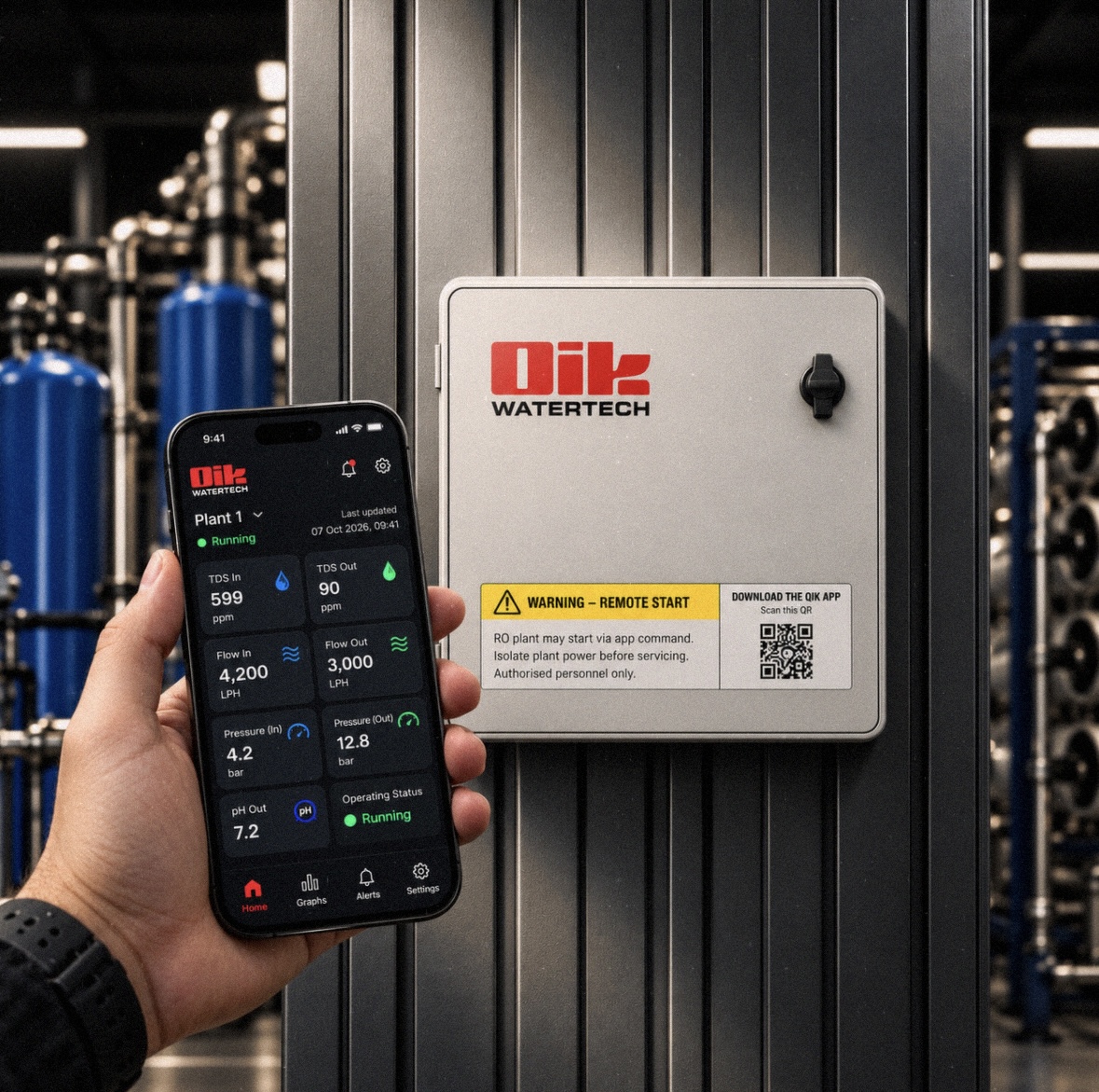
THE DEVICE + ITS OWN SENSORS
Think of it as a brain and its sensory organs: the included sensors measure what’s happening in your plant, and the device brings those readings to the Qik app.
Monitoring uses the supplied sensors fitted at your plant. Remote start/stop uses a connection to the RO’s power supply, not its existing sensors or control panel.
Check how your RO is operating before calling the operator or heading to the plant room.
View TDS, flow, pressure and pH readings from the Qik sensors installed at your plant. Confirm the measurements included in your setup before purchase.
Receive alerts for configured limits and faults. Give your team a specific reading or fault to investigate, instead of starting with guesswork.
A connection to the RO’s power supply enables start/stop through the Qik app. The electrical connection must be installed by a qualified technician with appropriate plant safety protections.
Installation is a physical piping upgrade. Our technician plans the sensor fittings around your plant’s layout and FRP or stainless-steel (SS) piping.
Ask about your ROTell us your RO capacity, pipe sizes and whether the piping is FRP or stainless steel. Share what you know; our team can clarify the rest.
We review the piping material, layout and suitable sensor locations, along with the connectivity needed for the device.
Our technician adapts the relevant pipe sections to install the supplied sensors. A qualified technician connects the RO power supply for start/stop, then sets up the device and app.
Yes. The Qik Insights device purchase includes its sensors. A Qik technician installs the sensor modules at your plant.
No. Qik Insights uses its own supplied sensors. It does not connect to your existing sensors or control panel.
The technician cuts and adapts the relevant piping to fit the sensor modules into your existing RO structure. The fitting method is planned around your piping material, including FRP or stainless steel.
Readings such as TDS, flow, pressure and pH from the supplied sensor modules, plus configured alerts. We confirm the measurements and installation scope for your setup before purchase.
Qik Insights connects to the RO’s power supply to enable start/stop through the app. This is separate from the sensor modules installed in the piping and does not use the existing control panel. A qualified technician must install the electrical connection with appropriate safety protections.
No. Sensor readings help you monitor operation; they do not certify water safety. Continue routine sensor calibration and independent water testing.
Tell us about your RO and its piping. We’ll discuss the included sensors, installation requirements and the power connection for remote start/stop.
Get Qik Insights Now!Not sure about your pipe sizes or material? Share what you know. This is an enquiry, not an order.